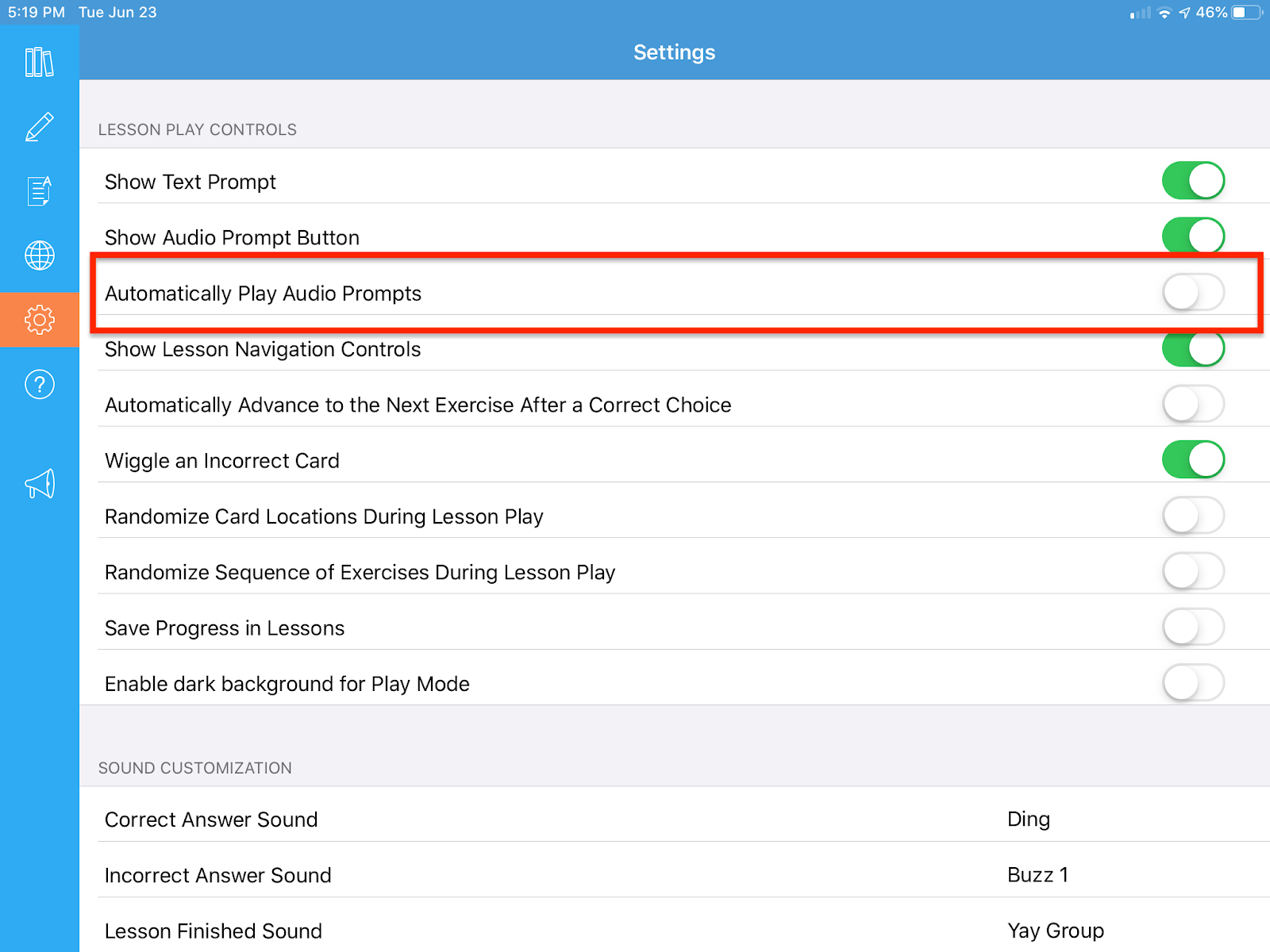
To turn Audio prompts ON, Go to settings, then click the “Automatically play audio prompts” button so that it turns green. This will make it so that audio prompts are automatically played when you start a lesson.
If you turn this feature off, you will need to manually press the speaker button on the exercise to hear the prompt.
 .
.