I can’t use images saved to my device
You may have inadvertently said “no” when you were first asked for permission to access your photos.
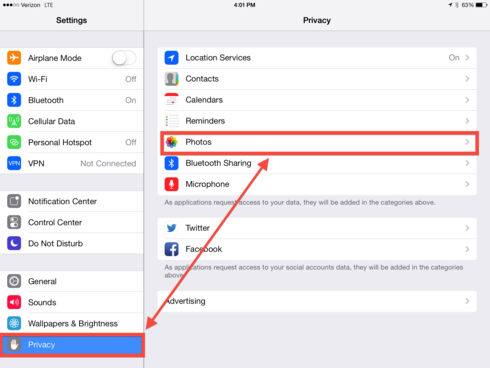
First go to the Settings app on your iPad, select the Privacy option and then choose Photos. You’ll see that STL Pro or See.Touch.Learn. will show up with the permission button greyed out, just slide it over until it turns green to grant the app permission.


 .
.